 e6dbd11ba1
- Delete TauricResearch.png and wechat.png assets - Fix clone URL to point to hemangjoshi37a/TradingAgents - Fix broken anchor links in README navigation - Fix license badge (Apache 2.0, not MIT) - Add Analysis Pipeline and Investment Debates screenshots - Improve image alt texts for SEO - Replace Unicode box-drawing chars with ASCII in architecture diagram - Update package.json with keywords, author, correct URLs - Update pyproject.toml description - Update setup.py URL - Refresh screenshots after dark mode theme fix - Update .gitignore for Playwright and test artifacts |
||
|---|---|---|
| .. | ||
| backend | ||
| docs/screenshots | ||
| public | ||
| src | ||
| .gitignore | ||
| README.md | ||
| eslint.config.js | ||
| index.html | ||
| package-lock.json | ||
| package.json | ||
| postcss.config.js | ||
| tailwind.config.js | ||
| test-ui.mjs | ||
| tsconfig.app.json | ||
| tsconfig.json | ||
| tsconfig.node.json | ||
| vite.config.ts | ||
README.md
Nifty50 AI Trading Dashboard
A modern, feature-rich frontend for the TradingAgents multi-agent AI stock analysis system. This dashboard provides real-time AI-powered recommendations for all 50 stocks in the Nifty 50 index, with full visibility into the analysis pipeline, agent reports, and debate processes.
Features Overview
Dashboard - Main View
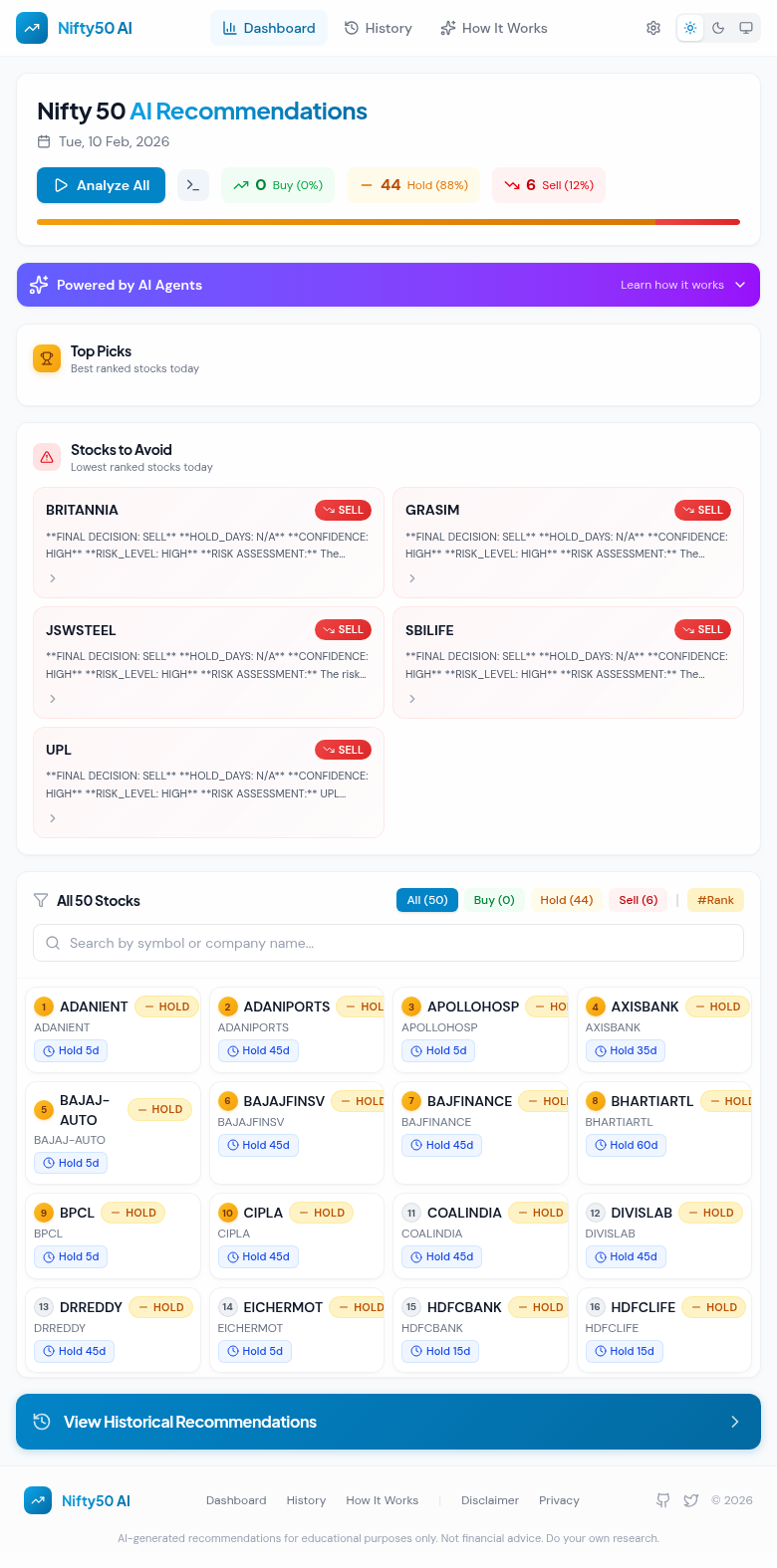
The main dashboard displays AI recommendations for all 50 Nifty stocks with:
- Summary Statistics: Quick view of Buy/Hold/Sell distribution
- Top Picks: Highlighted stocks with the strongest buy signals
- Stocks to Avoid: High-confidence sell recommendations
- Analyze All: One-click bulk analysis of all stocks
- Filter & Search: Filter by recommendation type or search by symbol
Dark Mode Support
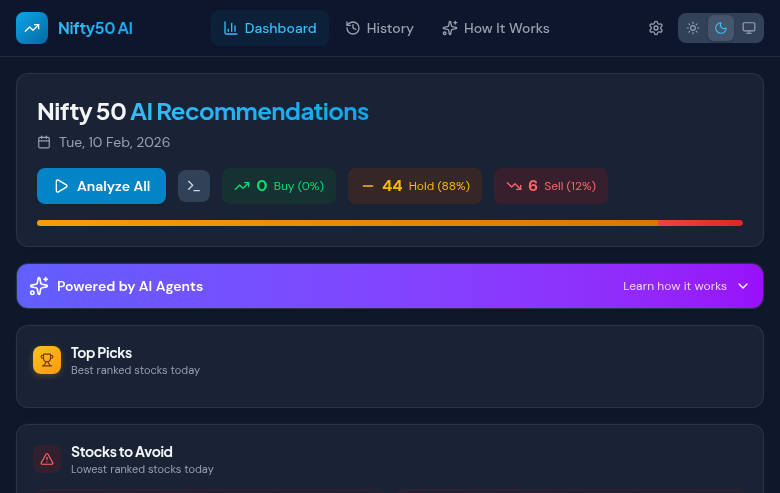
Full dark mode support with automatic system theme detection:
Settings Panel
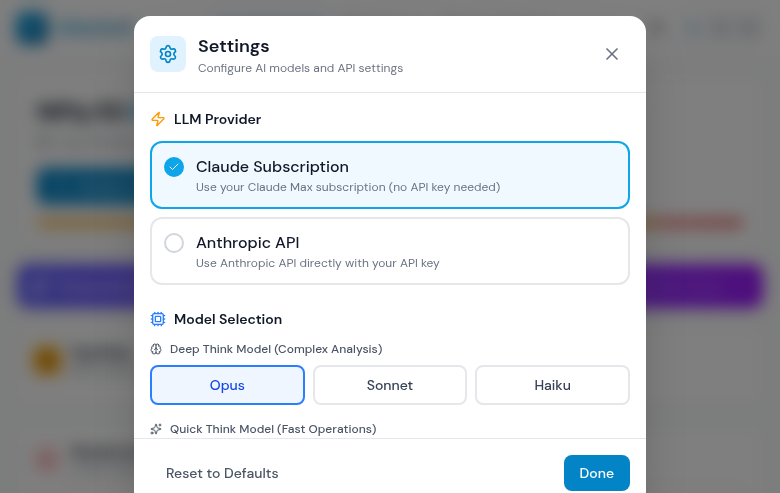
Configure the AI analysis system directly from the browser:
- LLM Provider Selection: Choose between Claude Subscription or Anthropic API
- API Key Management: Securely store API keys in browser localStorage
- Model Selection: Configure Deep Think (Opus) and Quick Think (Sonnet/Haiku) models
- Analysis Settings: Adjust max debate rounds for thoroughness vs speed
Stock Detail View
Detailed analysis view for individual stocks with:
- Price Chart: Interactive price history with buy/sell/hold signal markers
- Recommendation Details: Decision, confidence level, and risk assessment
- Recommendation History: Historical AI decisions for the stock
- AI Analysis Summary: Expandable detailed analysis sections

Analysis Pipeline Visualization
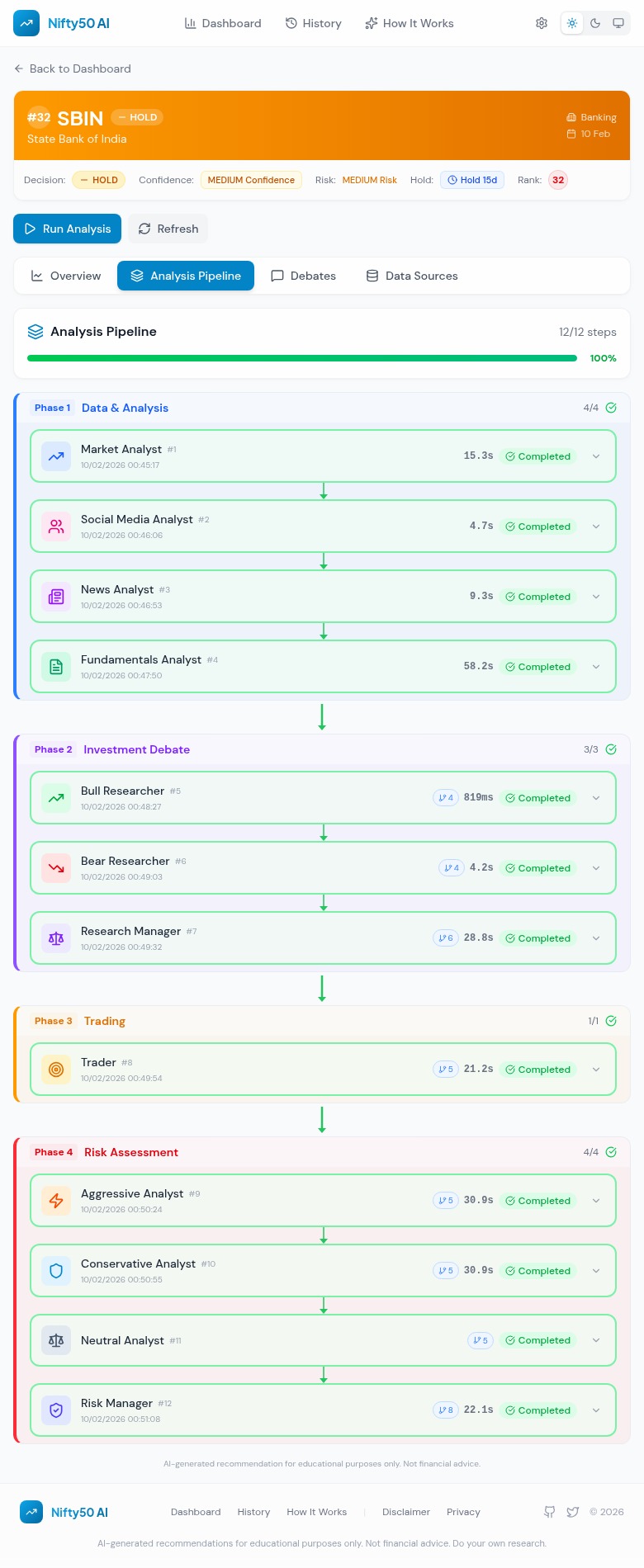
See exactly how the AI reached its decision with the full analysis pipeline:
- 9-Step Pipeline: Track progress through data collection, analysis, debates, and final decision
- Agent Reports: View individual reports from Market, News, Social Media, and Fundamentals analysts
- Real-time Status: See which steps are completed, running, or pending
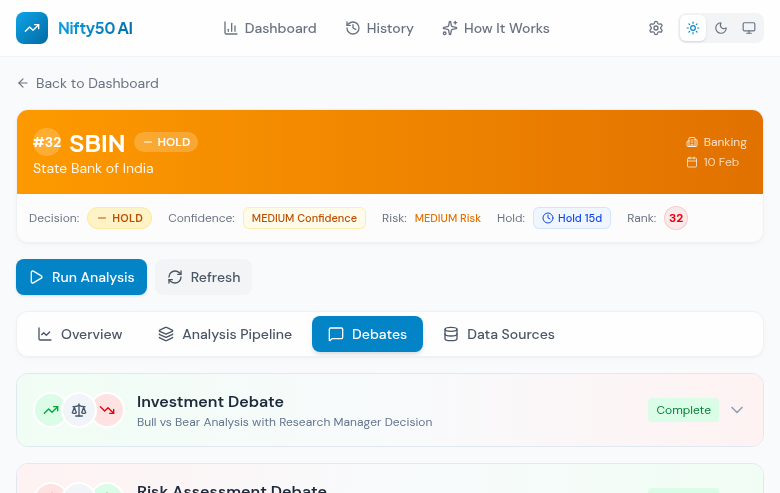
Investment Debates
The AI uses a debate system where Bull and Bear analysts argue their cases:
- Bull vs Bear: Opposing viewpoints with detailed arguments
- Research Manager Decision: Final judgment weighing both sides
- Full Debate History: Complete transcript of the debate rounds
Expanded Debate View
Full debate content with Bull and Bear arguments:

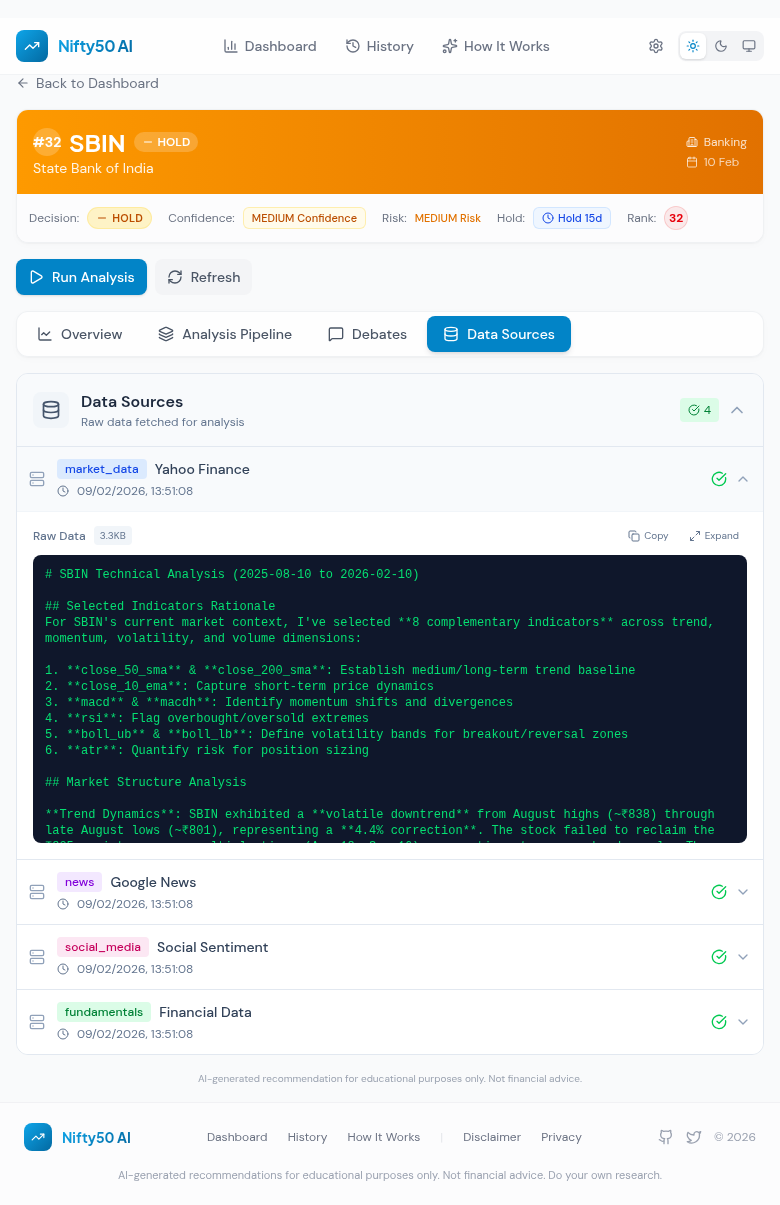
Data Sources Tracking
View all raw data sources used for analysis:
- Source Types: Market data, news, fundamentals, social media
- Fetch Status: Success/failure indicators for each data source
- Data Preview: Expandable view of fetched data
How It Works Page
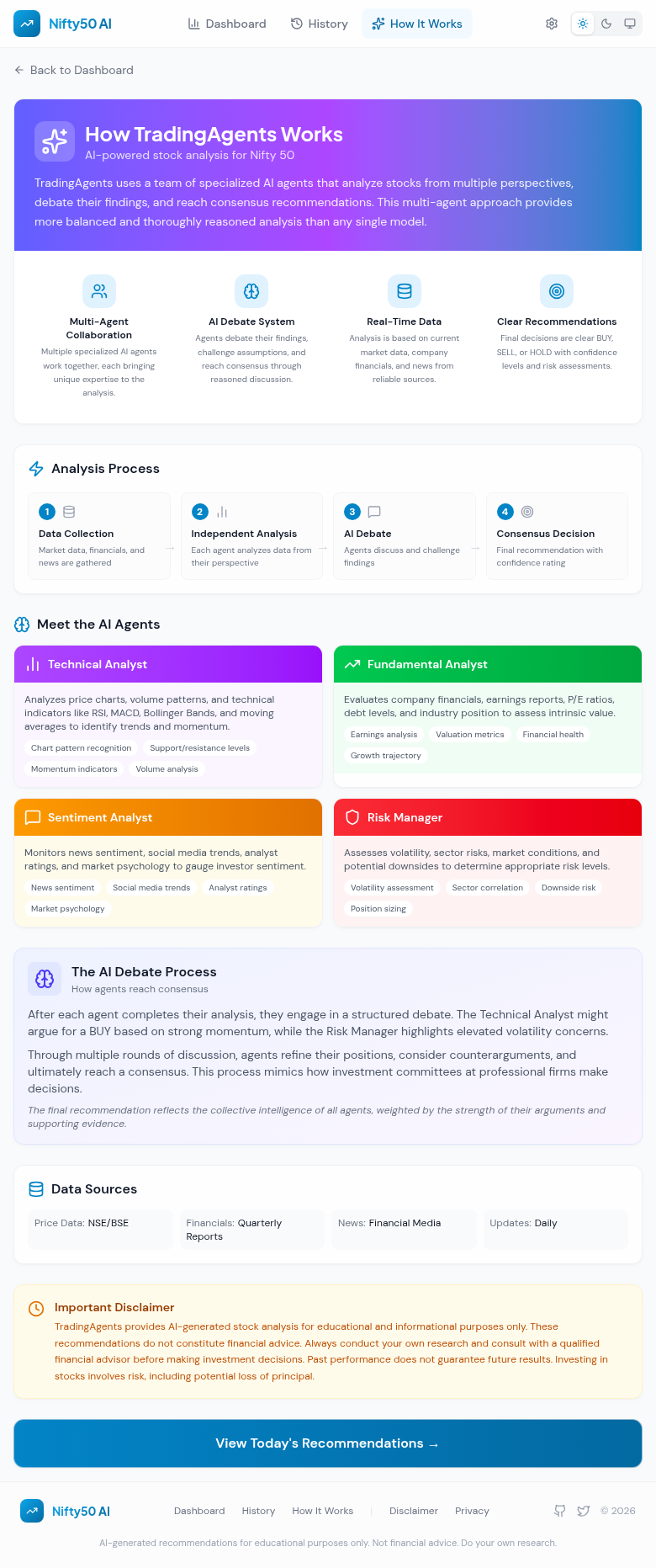
Educational content explaining the multi-agent AI system:
- Multi-Agent Architecture: Overview of the specialized AI agents
- Analysis Process: Step-by-step breakdown of the pipeline
- Agent Profiles: Details about each analyst type
- Debate Process: Explanation of how consensus is reached
Historical Analysis & Backtesting
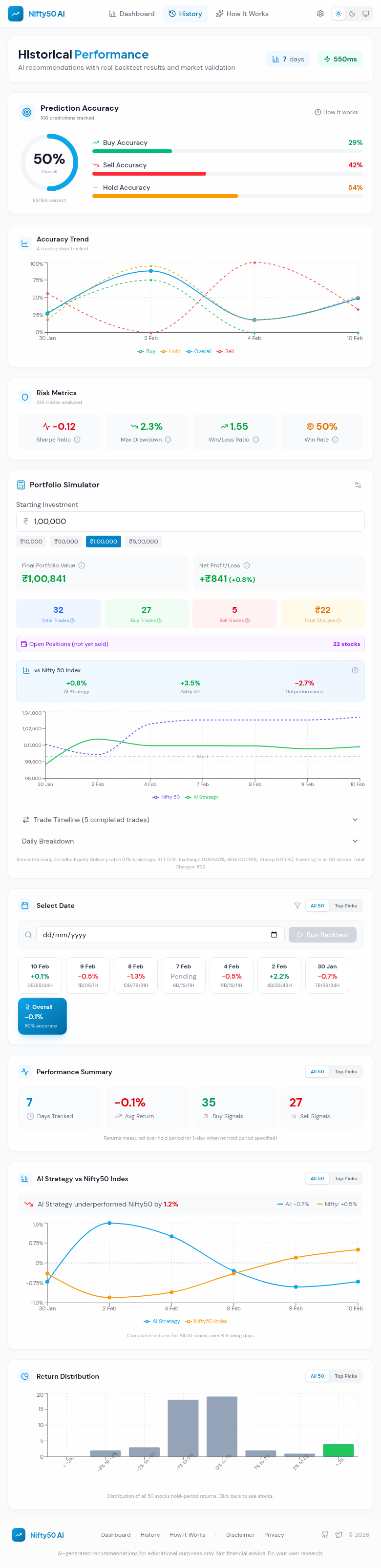
Track AI performance over time with comprehensive analytics:
- Prediction Accuracy: Overall and per-recommendation-type accuracy
- Accuracy Trend: Visualize accuracy over time
- Risk Metrics: Sharpe ratio, max drawdown, win rate
- Portfolio Simulator: Test different investment amounts with Zerodha-accurate brokerage charges
- AI vs Nifty50: Compare AI strategy performance against the index
- Return Distribution: Histogram of hold-period returns
- Date Backtest Runner: Run AI analysis for any date directly from the History page
- Cancel Support: Cancel in-progress bulk analysis
Date Selection & Stock List
Select any date to view all 50 ranked stocks with decisions, hold periods, and returns:

Tech Stack
- Frontend: React 18 + TypeScript + Vite
- Styling: Tailwind CSS with dark mode support
- Charts: Recharts for interactive visualizations
- Icons: Lucide React
- State Management: React Context API
- Backend: FastAPI (Python) with SQLite database
Getting Started
Prerequisites
- Node.js 18+
- Python 3.10+
- npm or yarn
Installation
- Install frontend dependencies:
cd frontend
npm install
- Install backend dependencies:
cd frontend/backend
pip install -r requirements.txt
Running the Application
- Start the backend server:
cd frontend/backend
python server.py
The backend runs on http://localhost:8001
- Start the frontend development server:
cd frontend
npm run dev
The frontend runs on http://localhost:5173
Project Structure
frontend/
├── src/
│   ├── components/
│   │   ├── pipeline/          # Pipeline visualization components
│   │   │   ├── PipelineOverview.tsx
│   │   │   ├── AgentReportCard.tsx
│   │   │   ├── DebateViewer.tsx
│   │   │   ├── RiskDebateViewer.tsx
│   │   │   └── DataSourcesPanel.tsx
│   │   ├── Header.tsx
│   │   ├── SettingsModal.tsx
│   │   └── ...
│   ├── contexts/
│   │   └── SettingsContext.tsx  # Settings state management
│   ├── pages/
│   │   ├── Dashboard.tsx
│   │   ├── StockDetail.tsx
│   │   ├── History.tsx
│   │   └── About.tsx
│   ├── services/
│   │   └── api.ts              # API client
│   ├── types/
│   │   └── pipeline.ts         # TypeScript types for pipeline data
│   └── App.tsx
├── backend/
│   ├── server.py               # FastAPI server
│   ├── database.py             # SQLite database operations
│   └── recommendations.db      # SQLite database
└── docs/
    └── screenshots/            # Feature screenshots
API Endpoints
Recommendations
GET /recommendations/{date}- Get all recommendations for a dateGET /recommendations/{date}/{symbol}- Get recommendation for a specific stockPOST /recommendations- Save new recommendations
Pipeline Data
GET /recommendations/{date}/{symbol}/pipeline- Get full pipeline dataGET /recommendations/{date}/{symbol}/agents- Get agent reportsGET /recommendations/{date}/{symbol}/debates- Get debate historyGET /recommendations/{date}/{symbol}/data-sources- Get data source logs
Analysis
POST /analyze/{symbol}- Run analysis for a single stockPOST /analyze-bulk- Run analysis for multiple stocks
Configuration
Settings are stored in browser localStorage and include:
deepThinkModel: Model for complex analysis (opus/sonnet/haiku)quickThinkModel: Model for fast operations (opus/sonnet/haiku)provider: LLM provider (claude_subscription/anthropic_api)anthropicApiKey: API key for Anthropic API providermaxDebateRounds: Number of debate rounds (1-5)
Contributing
- Fork the repository
- Create a feature branch
- Make your changes
- Run tests and linting
- Submit a pull request
License
This project is part of the TradingAgents research project.
Disclaimer
AI-generated recommendations are for educational and informational purposes only. These do not constitute financial advice. Always conduct your own research and consult with a qualified financial advisor before making investment decisions.