 c20771bf20
Establish complete Spec-Driven Development documentation structure to enable AI-assisted implementation with product context, feature specs, and architectural standards. Documentation: - Add product docs (product.md, roadmap.md) for business context - Add feature specs for marketdata, news, and socialmedia domains - Add technical standards (practices.md, security.md, style.md, tech.md) - Update README with SDD workflow and PostgreSQL architecture Restructure: - Move Docker files to docker/db/ for cleaner organization - Move docker-compose.yml to project root - Remove deprecated configs (litellm.yml, package.json, setup.py) - Update tests for pytest-vcr integration This establishes the foundation for /spec:* workflow commands and structured AI-agent collaboration. |
||
|---|---|---|
| .claude | ||
| alembic | ||
| assets | ||
| cli | ||
| docker/db | ||
| docs | ||
| tests | ||
| tradingagents | ||
| .env.example | ||
| .gitignore | ||
| .mise.toml | ||
| .python-version | ||
| AGENTS.md | ||
| CLAUDE.md | ||
| LICENSE | ||
| README.md | ||
| alembic.ini | ||
| docker-compose.yml | ||
| main.py | ||
| pyproject.toml | ||
| pyrefly.toml | ||
| pyrightconfig.json | ||
| uv.lock | ||
README.md
TradingAgents Project Overview
Spec-Driven Development Integration
TradingAgents integrates with the Spec-Driven Development workflow to accelerate feature development while maintaining architectural consistency. This project uses the specialized agent system described in your global CLAUDE.md for structured specifications and AI-assisted implementation.
Project Context for AI Agents
Product Definition: Multi-agent LLM financial trading framework that mirrors real-world trading firm dynamics for research-based market analysis and trading decisions.
Target Users: Single developer/researcher focused on personal trading research and data infrastructure development.
Core Architecture: Domain-driven design with three domains (marketdata, news, socialmedia), PostgreSQL + TimescaleDB + pgvectorscale data stack, RAG-powered multi-agent collaboration through LangGraph workflows.
Key Constraints: Research-only framework (not production trading), OpenRouter as sole LLM provider, 85%+ test coverage requirement, TDD with pytest.
Documentation Structure
- Product Docs:
/Users/martinrichards/code/TradingAgents/docs/product/- Business context and roadmap - Feature Specs:
/Users/martinrichards/code/TradingAgents/docs/spec/- Implementation specifications - Standards:
/Users/martinrichards/code/TradingAgents/docs/standards/- Technical architecture and practices
Agent Context for Implementation
When implementing features, AI agents should reference:
docs/product/product.mdfor business context and user requirementsdocs/standards/tech.mdfor architectural patterns and technical standardsdocs/standards/practices.mdfor TDD workflow and development practicesdocs/standards/style.mdfor code style and naming conventions
Apply the layered architecture pattern: Router → Service → Repository → Entity → Database consistently across all domains.
TradingAgents: Multi-Agents LLM Financial Trading Framework
Personal Fork Notice: This is a personal fork of the original TradingAgents framework by TauricResearch, originally licensed under Apache 2.0. This fork focuses on individual research and development with significant architectural changes including PostgreSQL + TimescaleDB + pgvectorscale data infrastructure and RAG-powered agents.
Original Work: TauricResearch/TradingAgents - arXiv:2412.20138
🚀 TradingAgents | ⚡ Installation & CLI | 📦 Package Usage | 📚 API Docs | 🔧 Troubleshooting | 👥 Agent Dev | 📄 Citation
TradingAgents Framework
TradingAgents is a multi-agent trading framework that mirrors the dynamics of real-world trading firms. By deploying specialized LLM-powered agents: from fundamental analysts, sentiment experts, and technical analysts, to trader, risk management team, the platform collaboratively evaluates market conditions and informs trading decisions. Moreover, these agents engage in dynamic discussions to pinpoint the optimal strategy.

TradingAgents framework is designed for research purposes. Trading performance may vary based on many factors, including the chosen backbone language models, model temperature, trading periods, the quality of data, and other non-deterministic factors. It is not intended as financial, investment, or trading advice.
Our framework decomposes complex trading tasks into specialized roles. This ensures the system achieves a robust, scalable approach to market analysis and decision-making.
Analyst Team
- Fundamentals Analyst: Evaluates company financials and performance metrics, identifying intrinsic values and potential red flags.
- Sentiment Analyst: Analyzes social media and public sentiment using sentiment scoring algorithms to gauge short-term market mood.
- News Analyst: Monitors global news and macroeconomic indicators, interpreting the impact of events on market conditions.
- Technical Analyst: Utilizes technical indicators (like MACD and RSI) to detect trading patterns and forecast price movements.

Researcher Team
- Comprises both bullish and bearish researchers who critically assess the insights provided by the Analyst Team. Through structured debates, they balance potential gains against inherent risks.

Trader Agent
- Composes reports from the analysts and researchers to make informed trading decisions. It determines the timing and magnitude of trades based on comprehensive market insights.

Risk Management and Portfolio Manager
- Continuously evaluates portfolio risk by assessing market volatility, liquidity, and other risk factors. The risk management team evaluates and adjusts trading strategies, providing assessment reports to the Portfolio Manager for final decision.
- The Portfolio Manager approves/rejects the transaction proposal. If approved, the order will be sent to the simulated exchange and executed.

Installation and CLI
Installation
Clone TradingAgents:
git clone https://github.com/martinrichards23/TradingAgents.git
cd TradingAgents
Install development tools (mise manages Python, uv, and other tools):
# Install mise if not already installed
curl https://mise.run | sh

# Install project tools and dependencies
mise install          # Installs Python, uv, ruff, pyright
mise run install      # Installs project dependencies with uv
Alternative manual setup:
# Create virtual environment with uv
uv venv
source .venv/bin/activate  # or .venv\Scripts\activate on Windows

# Install dependencies
uv sync
Database Setup
This fork uses PostgreSQL with TimescaleDB and pgvectorscale extensions:
# Using Docker Compose (recommended)
docker-compose up -d

# Or install PostgreSQL with extensions manually
# See docs/setup-database.md for detailed instructions
Required APIs
OpenRouter API (unified LLM provider):
export OPENROUTER_API_KEY=$YOUR_OPENROUTER_API_KEY
FinnHub API for financial data (optional):
export FINNHUB_API_KEY=$YOUR_FINNHUB_API_KEY
Database connection:
export DATABASE_URL="postgresql://user:pass@localhost:5432/tradingagents"
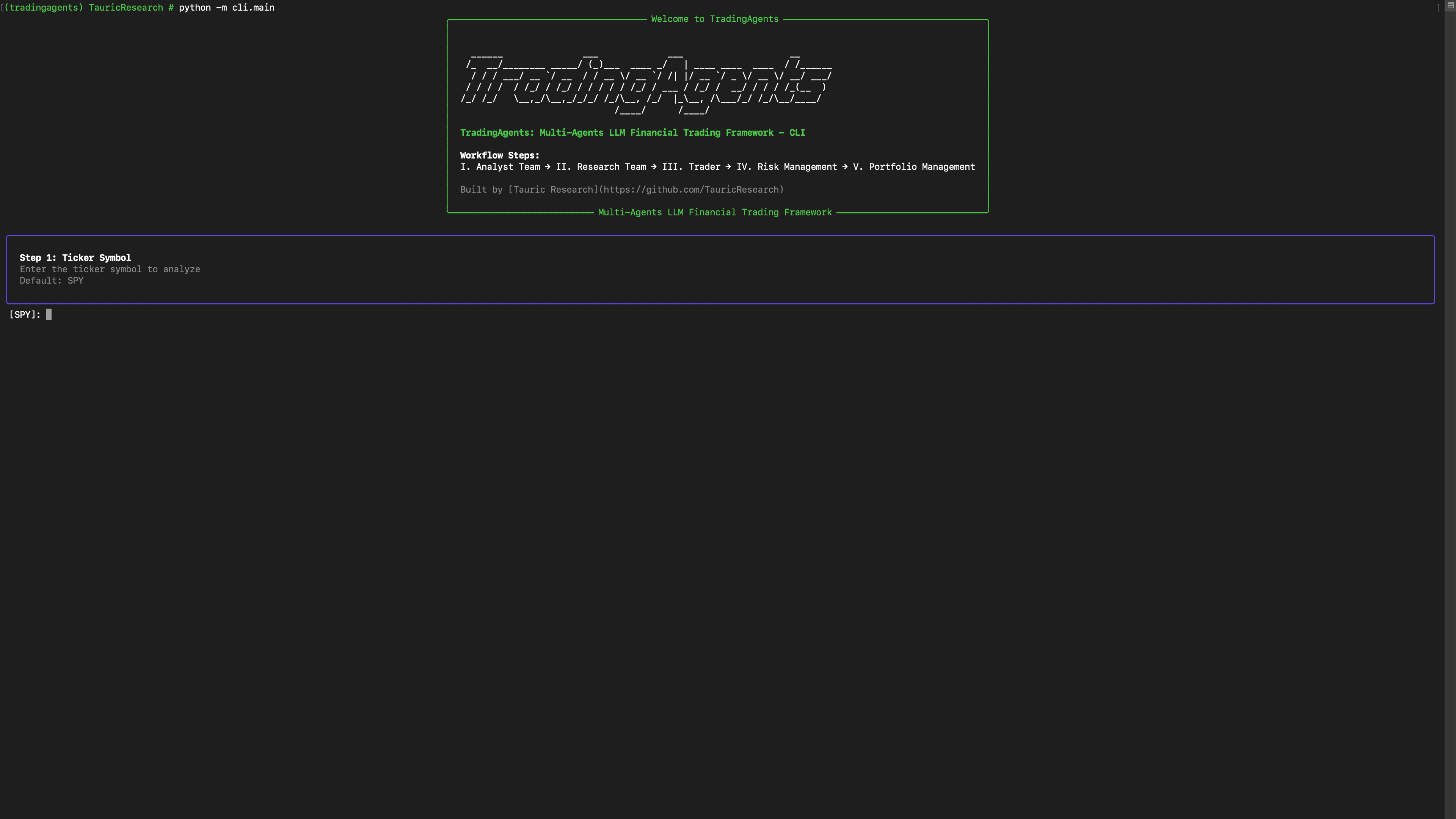
CLI Usage
Run the CLI directly:
mise run dev # or python -m cli.main
Quick Start
Get up and running with TradingAgents in 3 simple steps:
Step 1: Set API Keys
export OPENROUTER_API_KEY="your_openrouter_api_key"
export FINNHUB_API_KEY="your_finnhub_api_key"  # Optional for financial data
export DATABASE_URL="postgresql://user:pass@localhost:5432/tradingagents"
Step 2: Run Your First Analysis
from tradingagents.graph.trading_graph import TradingAgentsGraph
from tradingagents.config import TradingAgentsConfig

# Create configuration (uses environment variables)
config = TradingAgentsConfig.from_env()

# Initialize the trading graph
ta = TradingAgentsGraph(debug=True, config=config)

# Analyze a stock
result, decision = ta.propagate("AAPL", "2024-01-15")
print(f"Decision: {decision}")
Step 3: Explore Results
The analysis returns:
- Decision:
BUY,SELL, orHOLD - Result: Detailed analysis from all agents including market data, news sentiment, and risk assessment
Next Steps: Explore the CLI interface, check out usage examples, or dive into the API documentation.
TradingAgents Package
Implementation Details
This fork is built with:
- LangGraph for agent orchestration
- PostgreSQL + TimescaleDB + pgvectorscale for data storage and vector search
- OpenRouter as the unified LLM provider
- RAG for context-aware agent decision making
- Dagster for data collection orchestration
Python Usage
from tradingagents.graph.trading_graph import TradingAgentsGraph
from tradingagents.config import TradingAgentsConfig

config = TradingAgentsConfig.from_env()
ta = TradingAgentsGraph(debug=True, config=config)

# Forward propagate
_, decision = ta.propagate("NVDA", "2024-05-10")
print(decision)
Custom Configuration
from tradingagents.config import TradingAgentsConfig

# Create a custom config
config = TradingAgentsConfig(
    llm_provider="openrouter",
    deep_think_llm="anthropic/claude-3.5-sonnet",
    quick_think_llm="anthropic/claude-3.5-haiku",
    max_debate_rounds=3,
    use_rag=True,  # Enable RAG-powered agents
    database_url="postgresql://user:pass@localhost:5432/tradingagents"
)

ta = TradingAgentsGraph(debug=True, config=config)
_, decision = ta.propagate("NVDA", "2024-05-10")
print(decision)
Environment Variables Reference
| Variable | Description | Default | Example |
|---|---|---|---|
LLM_PROVIDER |
LLM provider to use | openrouter |
openrouter |
OPENROUTER_API_KEY |
OpenRouter API key | Required | sk-or-... |
DEEP_THINK_LLM |
Model for complex analysis | anthropic/claude-3.5-sonnet |
openai/gpt-4 |
QUICK_THINK_LLM |
Model for fast responses | anthropic/claude-3.5-haiku |
openai/gpt-4o-mini |
MAX_DEBATE_ROUNDS |
Investment debate rounds | 1 |
3 |
MAX_RISK_DISCUSS_ROUNDS |
Risk discussion rounds | 1 |
2 |
USE_RAG |
Enable RAG for agents | true |
false |
DATABASE_URL |
PostgreSQL connection string | Required | postgresql://... |
DEFAULT_LOOKBACK_DAYS |
Historical data range | 30 |
60 |
TRADINGAGENTS_RESULTS_DIR |
Output directory | ./results |
./my_results |
OpenRouter Configuration
This fork exclusively uses OpenRouter for unified LLM access:
config = TradingAgentsConfig(
    llm_provider="openrouter",
    deep_think_llm="anthropic/claude-3.5-sonnet",
    quick_think_llm="openai/gpt-4o-mini",
    max_debate_rounds=2
)
Development Guide
Common Development Commands
This project uses mise for tool and task management:
Essential Commands
- CLI Application:
mise run dev- Interactive CLI for running trading analysis - Direct Python Usage:
mise run run- Run main.py programmatically - Format code:
mise run format- Auto-format with ruff - Lint code:
mise run lint- Check code quality with ruff - Type checking:
mise run typecheck- Run pyright type checker - Run all tests:
mise run test- Run tests with pytest
Database Commands
- Start database:
docker-compose up -d - Run migrations:
mise run migrate - Seed test data:
mise run seed
Testing Principles
Pragmatic outside-in TDD - Mock I/O boundaries, test real logic, fast feedback.
Test Structure (Mirror Source)
tests/
├── conftest.py                    # Shared fixtures
├── domains/
│   ├── __init__.py
│   └── news/
│       ├── __init__.py
│       ├── test_news_service.py   # Mock repo + clients
│       ├── test_news_repository.py # PostgreSQL test DB
│       └── test_google_news_client.py # pytest-vcr
Quality Standards
- 85% coverage minimum
- < 100ms per unit test
- Mock boundaries, test behavior
Architecture Overview
Multi-Agent Trading System
TradingAgents uses specialized LLM agents that work together in a trading firm structure:
Agent Workflow: Analysts → Researchers → Trader → Risk Management
Core Components
1. Domain-Driven Architecture
Three main domains with clean separation:
- Financial Data (
tradingagents/domains/marketdata/): Market prices, technical analysis, fundamentals - News (
tradingagents/domains/news/): News articles and sentiment analysis (95% complete) - Social Media (
tradingagents/domains/socialmedia/): Social sentiment from Reddit/Twitter
2. PostgreSQL + TimescaleDB + pgvectorscale Stack
- PostgreSQL: Primary database for structured data
- TimescaleDB: Time-series optimization for market data
- pgvectorscale: Vector storage for RAG and semantic search
- Automated migrations: Database schema versioning
3. RAG-Powered Agent Integration
AgentToolkitwith RAG capabilities for contextual decision making- Vector search for relevant historical data and patterns
- Semantic similarity matching for comparable market conditions
- Context-aware analysis based on historical performance
4. Dagster Data Orchestration
- Daily/twice-daily data collection pipelines
- Automated data quality checks and validation
- Gap detection and backfill capabilities
- Monitoring and alerting for data pipeline health
Key Design Patterns
- RAG-Enhanced Decisions: Agents use vector similarity search for context
- Time-Series Optimized: TimescaleDB for efficient market data queries
- Quality-Aware Data: All contexts include data quality metadata
- Structured Outputs: Pydantic models with database persistence
File Structure
tradingagents/
├── agents/           # Agent implementations with RAG capabilities
│   └── libs/         # AgentToolkit and utilities
├── domains/          # Domain-specific services
│   ├── marketdata/   # Financial data domain
│   ├── news/         # News domain (95% complete)
│   └── socialmedia/  # Social media domain
├── graph/            # LangGraph workflow orchestration
├── data/             # Dagster pipelines and data management
└── config.py         # Configuration management
Performance Optimization
Database Strategy:
- TimescaleDB hypertables for efficient time-series queries
- pgvectorscale for fast vector similarity search
- Materialized views for common aggregations
Model Selection:
- OpenRouter unified interface reduces API complexity
quick_think_llmfor data retrieval and formattingdeep_think_llmfor complex analysis and decisions
Need Help?
- API Documentation:
docs/api-reference.md - Troubleshooting:
docs/troubleshooting.md - Agent Development:
docs/agent-development.md
Citation
Please reference the original work if you find TradingAgents provides you with some help:
@misc{xiao2025tradingagentsmultiagentsllmfinancial,
      title={TradingAgents: Multi-Agents LLM Financial Trading Framework},
      author={Yijia Xiao and Edward Sun and Di Luo and Wei Wang},
      year={2025},
      eprint={2412.20138},
      archivePrefix={arXiv},
      primaryClass={q-fin.TR},
      url={https://arxiv.org/abs/2412.20138},
}
License
This personal fork maintains the Apache 2.0 license from the original TauricResearch/TradingAgents project.